Advanced audio processing
This section lets you shape the sound of your karaoke video before it's generated. It brings together a sound preset selector (to pick a whole sound in one click) and eight treatments you can switch on, off and fine-tune individually.
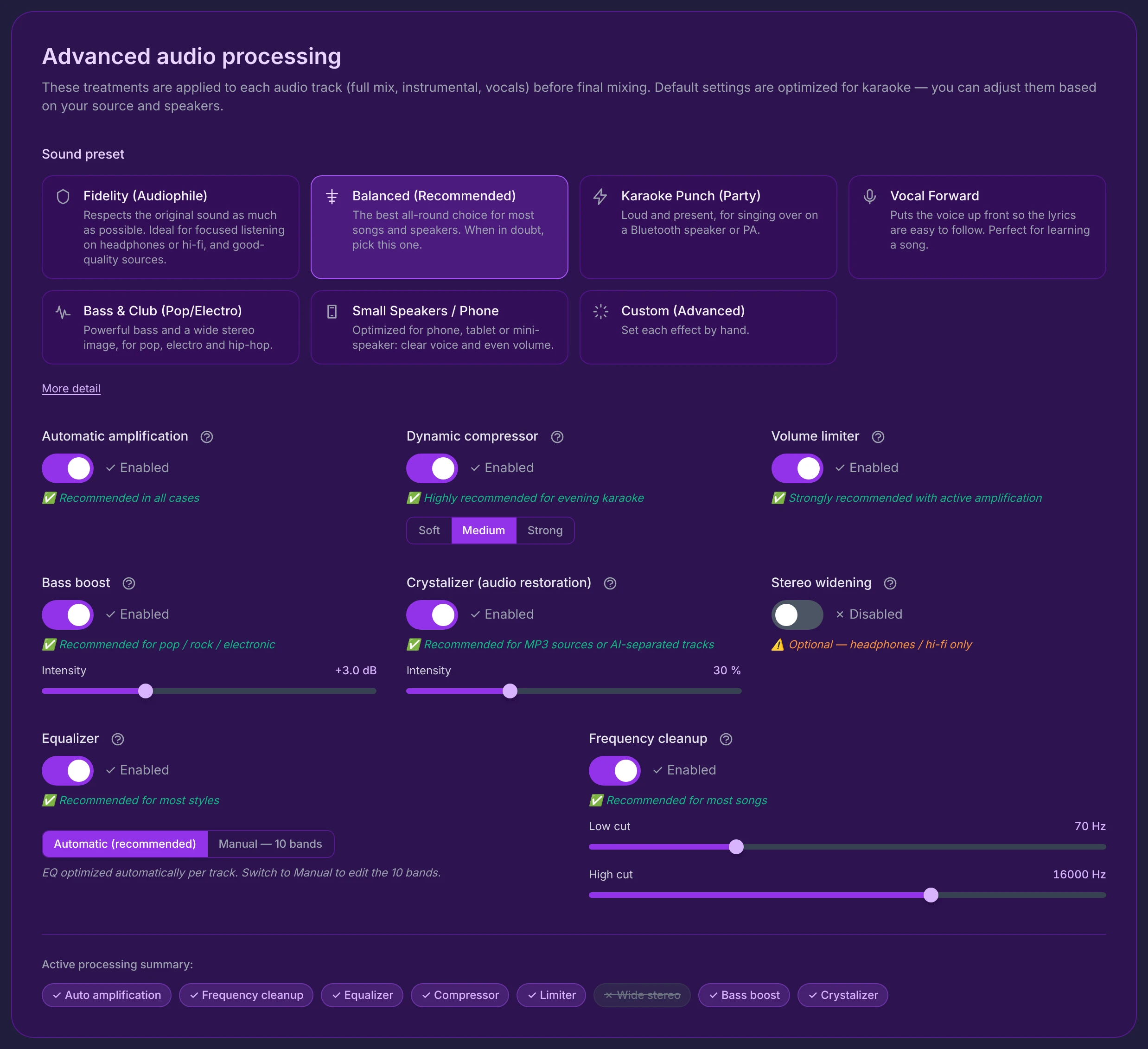
Everything here is applied to each audio track separately (full mix, instrumental, vocals) before the final mix. The defaults are tuned for karaoke — you only adjust them if your source or your speakers call for it.
Pick the preset that matches how you'll listen (that's enough in ~90% of cases). Want to go further? Adjust the treatments one by one — you then move automatically to Custom mode, and your tweaks are kept.
Sound preset
The preset is the starting point for everything else. Selecting one sets all eight treatments, the equalizer and every slider at once, following a recipe designed for a specific use (faithful listening, party, small speakers…).
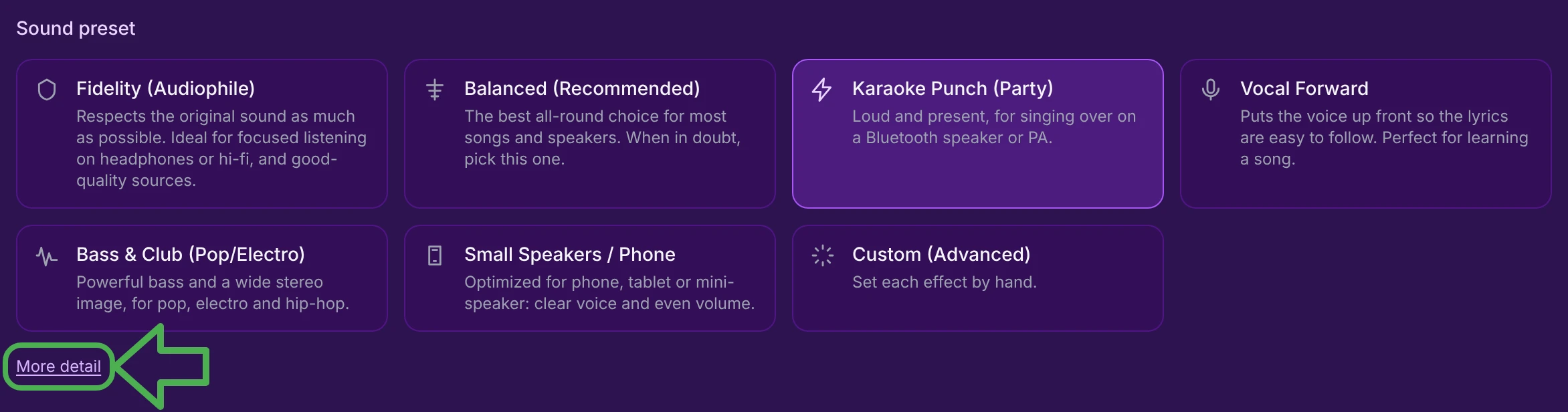
- Click a tile and all its values apply instantly; the active tile is highlighted.
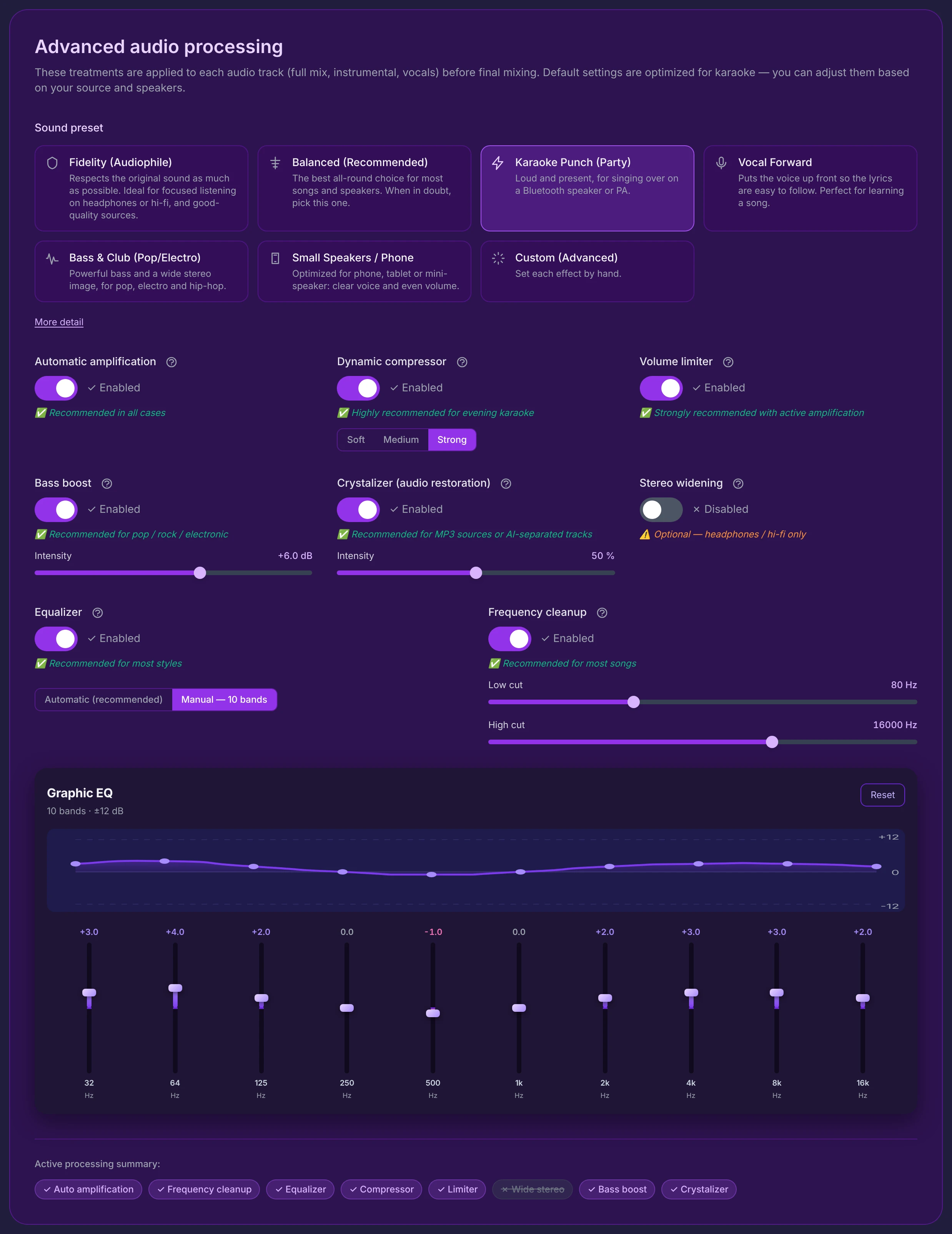
- The moment you change any control (a switch, a slider, an EQ band…), the preset flips automatically to Custom (Advanced) — your adjustments are preserved, they simply start from the previous preset's base.
- Under the tiles, a More detail / Less detail link expands a full description of the active preset.

Choose Balanced (Recommended) — the default, calibrated to sound good just about anywhere.
The seven presets
| Preset | In a nutshell | Best for |
|---|---|---|
| Fidelity (Audiophile) | Respects the original sound as much as possible. | Focused listening on headphones or hi-fi, good-quality sources. |
| Balanced (Recommended) | The best all-round choice for most songs and speakers. | Almost everything — the safe default. |
| Karaoke Punch (Party) | Loud and present. | Singing over a Bluetooth speaker or PA. |
| Vocal Forward | Puts the voice up front so lyrics are easy to follow. | Learning or rehearsing a song. |
| Bass & Club (Pop/Electro) | Powerful bass and a wide stereo image. | Pop, electro, hip-hop on a subwoofer or good headphones. |
| Small Speakers / Phone | Clear voice, even volume, reduced bass. | Phone, tablet or a mini speaker. |
| Custom (Advanced) | Set each effect by hand. | Total control (reached by clicking the tile or editing any control). |
The full description of each preset is in Presets in detail, further down.
The eight treatments
Below the presets, eight switches turn each treatment on or off. Each one shows its name and a help icon (hover it for a tooltip), a switch with the state ✓ Enabled / ✗ Disabled, a coloured recommendation note (green, or orange for optional treatments), and — only when it's on — its detailed controls.
A treatment's controls appear only when its switch is on. Turning a treatment off hides its sliders, so the interface stays uncluttered.
On screen they're laid out in two rows of three, then a row of two, grouped by purpose:
Automatic amplification  ·  Dynamic compressor  ·  Volume limiter
Bass boost               ·  Crystalizer         ·  Stereo widening
            Equalizer            |            Frequency cleanup
[  10-band graphic equalizer — full width, when Equalizer is Manual  ]
Dynamics & volume
Automatic amplification — analyses each track and applies the maximum gain that won't distort (checked before and after), so a quiet source is brought up to a strong, even level. No setting — just a switch. Note: recommended in all cases. → How it works
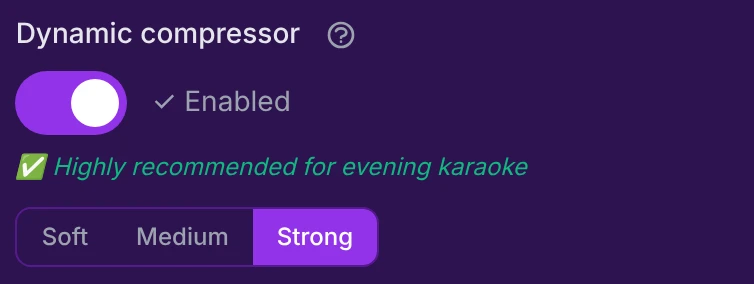
Dynamic compressor — evens out the gap between loud and quiet passages, so the level stays steady (essential when a voice sings over the music). One control: Soft / Medium (default) / Strong. Note: highly recommended for evening karaoke. → How it works
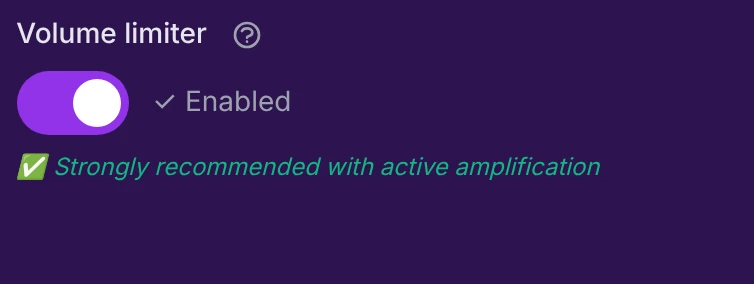
Volume limiter — a safety ceiling that catches peaks to prevent clipping (the "cracking" sound), especially with amplification on. No setting — a fixed, per-track safeguard. Note: strongly recommended with active amplification. → How it works
Colour & space
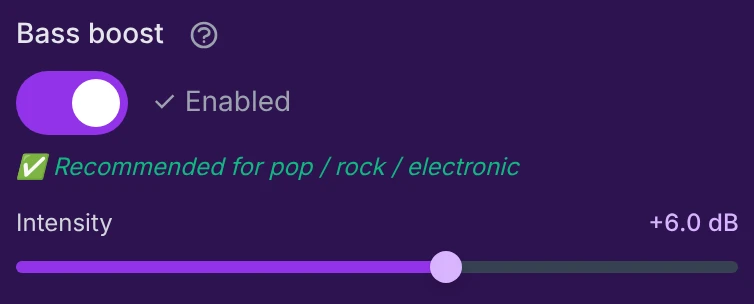
Bass boost — adds body and warmth in the low end (a low-shelf lift around 100 Hz). One slider: Intensity, 0 to +10 dB (default +3.0 dB). Note: recommended for pop / rock / electronic. → How it works
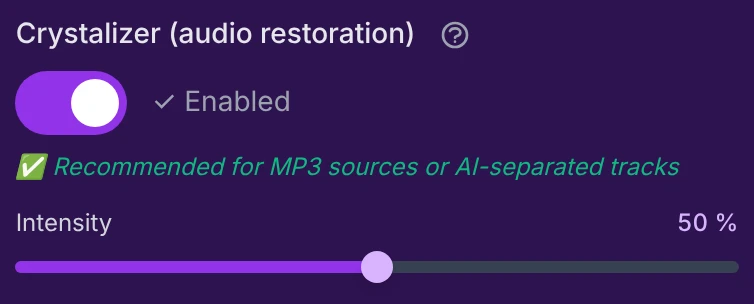
Crystalizer (audio restoration) — restores highs and detail often lost in compressed sources (MP3) or AI-separated stems: more clarity and sparkle. One slider: Intensity, 0–100% (default 30%). Note: recommended for MP3 sources or AI-separated tracks. → How it works
Too much Crystalizer can make the sound harsh or sibilant. Raise it gradually and stop as soon as the highs become unpleasant.
Stereo widening — widens the stereo image for a bigger, more immersive sound. It's the only treatment shown in orange, because it's optional and can cause issues (level loss in mono, phase effects on some speakers). One slider: Width, 0–100% (default 0%). Note (orange): optional — headphones / hi-fi only. → How it works
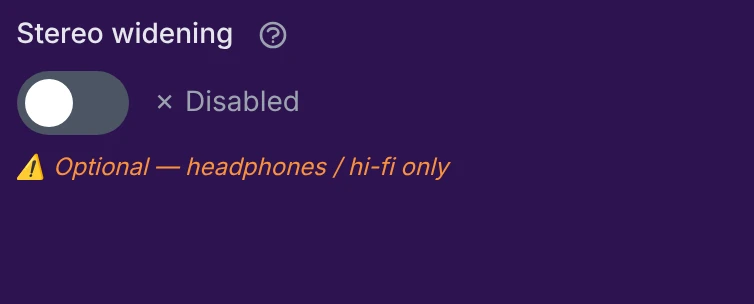
Reserve it for headphones or a hi-fi system. On a mono speaker (phone, mini Bluetooth speaker), turn it off.
Frequencies
Equalizer — shapes the tone (bass, mids, treble), via two modes: Automatic (recommended) — a smart per-track EQ (two targeted bands, 250 Hz and 4 kHz), the default; or Manual — 10 bands — the full graphic equalizer (see below), applied globally. Note: recommended for most styles. → How it works

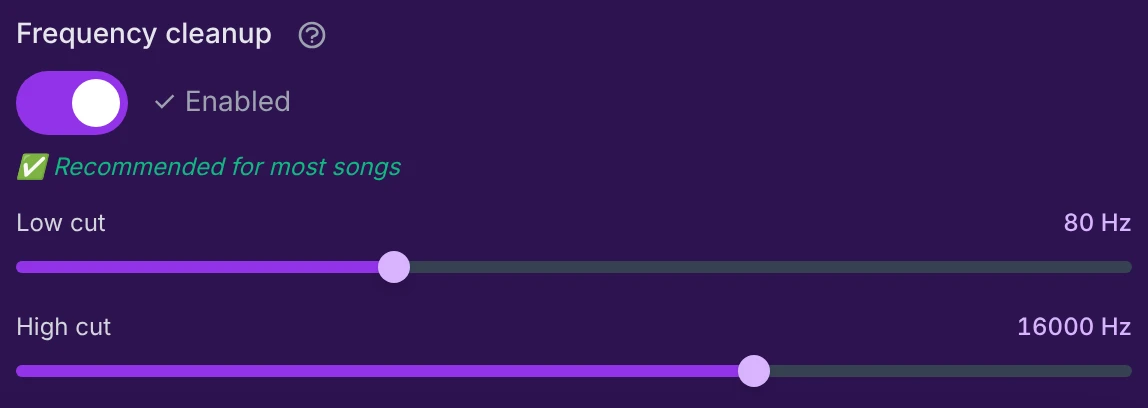
Frequency cleanup — removes the useless extremes of the spectrum: rumble at the bottom, hiss at the top. Two sliders — Low cut (20–200 Hz, default 70) removes everything below it, High cut (8000–20000 Hz, default 16000) removes everything above it. Note: recommended for most songs. → How it works
Graphic EQ — Manual mode
When the Equalizer is on and set to Manual, this panel appears full width below the frequency row.
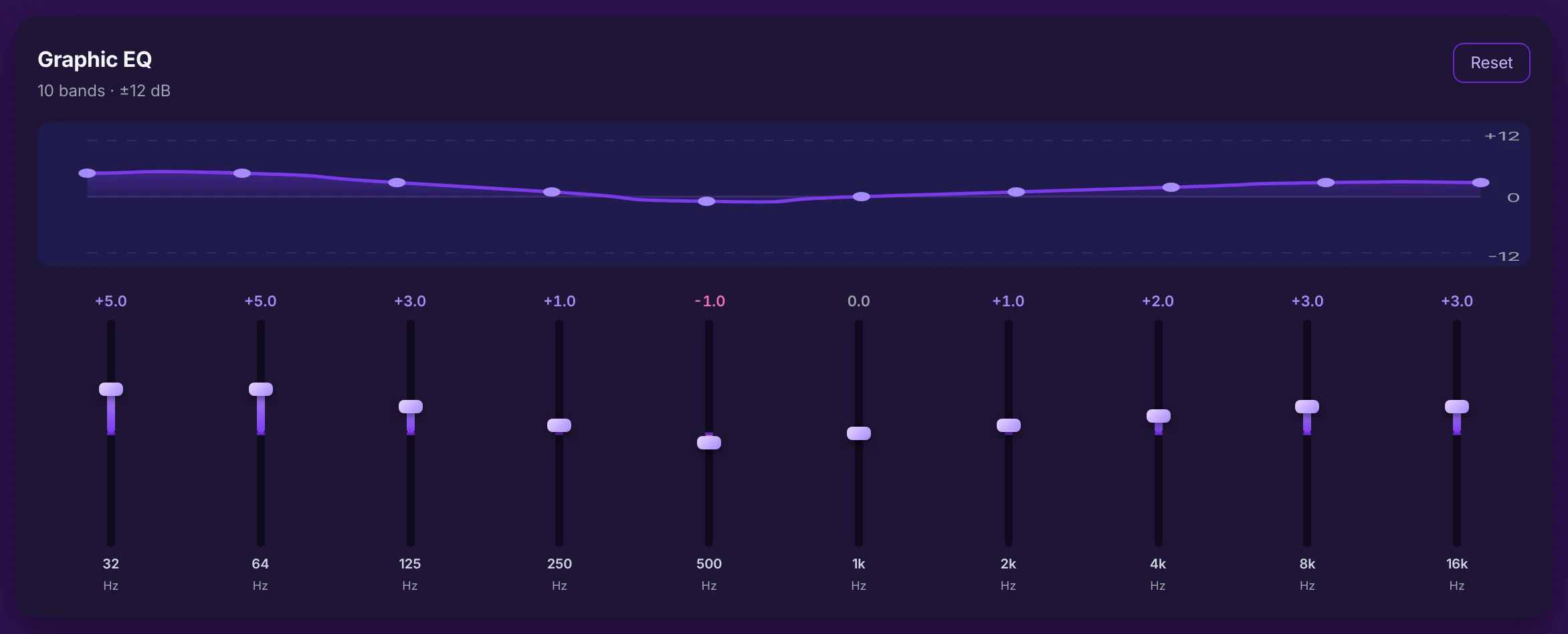
Ten vertical faders, one per frequency band. Each raises its band (boost, purple) or lowers it (cut, pink). A smoothed curve at the top shows the resulting tone at a glance.
- Value above each fader — the exact gain in dB (purple for a boost, pink for a cut, grey at 0).
- Frequency below each fader — 32, 64 … 16k, followed by "Hz".
- Range −12 dB to +12 dB, step 0.5 dB, neutral 0 dB. The Reset button returns every band to 0 dB.
- More warmth / body → raise 64–125 Hz a little.
- Clearer, more intelligible voice → raise 2–4 kHz.
- Remove a "muddy" feel → lower 250–500 Hz a touch.
- Add "air" → gently raise 8–16 kHz.
- Reduce harshness → lower 2–4 kHz.
Work in small steps (1–3 dB): a few decibels often transform the result.
See what each band does for the full breakdown.
Active processing summary
At the very bottom of the section, a row of badges recaps the treatments in play at a glance.

- An active treatment shows a purple badge with a ✓.
- An inactive one shows a greyed, struck-through badge with a ✗.
- The summary updates in real time with every switch or preset change.
The eight badges are, in order: Auto amplification, Frequency cleanup, Equalizer, Compressor, Limiter, Wide stereo, Bass boost, Crystalizer.
Saving & the "zero-loss" guarantee
- Applied per track — every treatment is applied separately to the full mix, the instrumental and the vocals (the three tracks you set on the waveform page), before the final mix.
- Preset → Custom — picking a preset writes all the values; touching any control afterwards switches to Custom without losing your adjustments.
- Saved & restored — your whole audio configuration (chosen preset, EQ curve, every slider position, every switch) is remembered and restored automatically: when you return to the editor, import a configuration file, or apply a preset.
- No loss, ever — the default Balanced preset reproduces KaraokeClip's exact historical sound (it routes everything through the internal per-track engine, not the global controls). So you can explore the other modes freely: going back to Balanced returns you to the reference sound.
Going deeper
The rest of this page is for anyone who wants to understand exactly what each control does. The section above is all you need for everyday use.
Presets in detail
Fidelity (Audiophile)
Applies the strict minimum of processing: no boosted highs, no bass reinforcement, a neutral EQ and very light compression. The sound stays as close as possible to what you imported, with all its natural dynamics and detail. Best when your source is already good quality (FLAC, high-bitrate AAC) and you're listening in a quiet room. The trade-off: it's less loud and less punchy than the other modes — that's intentional.
Balanced (Recommended)
The versatile default, calibrated to sound good everywhere without excess: a slight presence lift, moderate bass, and gentle compression that keeps a steady volume from start to finish. Suits the vast majority of situations (living-room speakers, laptop, headphones). It's also the reference sound: it relies on the app's internal per-track engine, so it reproduces KaraokeClip's historical rendering exactly.
Karaoke Punch (Party)
Built for real party conditions: high volume, background noise, and a voice singing over the music. It pushes perceived loudness to the maximum with firmer compression, reinforces the bass and adds a touch of brightness so everything cuts through. More compressed and less faithful than Fidelity, but exactly what's needed so you're not drowned out by the noise. Ideal on a Bluetooth speaker, portable PA or party amp.
Vocal Forward
Emphasises the range where the voice lives (presence around 4 kHz) and keeps the backing slightly behind, so the lyrics are easy to follow. Very useful for discovering a song, rehearsing, or matching your delivery to the original. Bass stays moderate so it doesn't mask the voice. Not the most spectacular mode, but the most useful for learning.
Bass & Club (Pop/Electro)
For genres where deep bass and stereo width are part of the fun. It clearly reinforces the low end and widens the stereo image for an immersive, club-like result. Excellent with a real subwoofer or good headphones. Avoid it on small speakers (which can't reproduce the bass) or when you want neutrality — pick Balanced or Fidelity then.
Small Speakers / Phone
Small speakers can't reproduce bass, so this mode deliberately reduces it (no point spending energy where nothing will come out) and emphasises the mids, where intelligibility lives. Firmer compression keeps a stable, audible level even on a tiny speaker. The best choice for listening or singing from a phone, tablet or a computer's built-in speaker. On a good system, pick another mode.
Custom (Advanced)
Not a fixed recipe but a free mode. You reach it two ways: by clicking the Custom tile directly (which unlocks editing without changing the current values), or by changing any control while another preset is active (the switch to Custom is then automatic). Every value stays editable by hand: switches, sliders and the 10-band equalizer.
Each treatment in depth
Automatic amplification
Detects the peak of each track and applies the highest gain it can without clipping, with a before/after check. The result is a strong, consistent level whatever you imported — this is the treatment that guarantees a correct starting volume.
Dynamic compressor
Reduces the distance between loud and quiet, for a steadier level. The three modes map to a threshold and ratio: Soft = −18 dB / 2.5:1, Medium (default) = −15 dB / 3.0:1, Strong = −12 dB / 4.0:1. Stronger settings give a more even, "in-your-face" level at the cost of some dynamics.
Volume limiter
A brick-wall ceiling on peaks: it stops the signal from exceeding a safe maximum, preventing the clipping that amplification, compression or bass boost can introduce. The ceiling is fixed and per-track (a safety value, not exposed as a control).
Bass boost
A low-shelf filter that lifts the low end (around 100 Hz) by the number of decibels you set. Adds weight and warmth; push it too far on small speakers and it just wastes headroom.
Crystalizer
Rebuilds and enhances high-frequency harmonics and detail that lossy encoding (MP3) or AI stem-separation tend to strip away — restoring clarity and "sparkle". The intensity (0–100%) scales the effect; high values can turn harsh or sibilant.
Stereo widening
Widens the perceived stereo image. The width (0–100%) drives the amount of cross-channel processing (100% ≈ half). Because it works by de-correlating the channels, it can lose level when summed to mono and cause phase artefacts on some speakers — hence the "headphones / hi-fi only" note.
Equalizer
Automatic applies a smart two-band EQ per track (a mid band at 250 Hz and a presence band at 4 kHz) — the historical behaviour. Manual replaces it with the ten-band graphic EQ, applied globally: ten band filters chained from 32 Hz to 16 kHz, exactly as you draw them.
Frequency cleanup
Two shelving cutoffs. Low cut is a high-pass filter that removes everything below its value (rumble, handling noise). High cut is a low-pass filter that removes everything above its value (hiss, harshness). Keeping only the useful band makes the mix tighter and cleaner.
What each EQ band does
| Band | Role |
|---|---|
| 32 Hz | Sub-bass — the physical "rumble" of the low end |
| 64 Hz | Deep bass — weight and kick |
| 125 Hz | Low mids — body and warmth |
| 250 Hz | Low mids — can sound "muddy" if overdone |
| 500 Hz | Mids — the fundamental of voices and instruments |
| 1 kHz | Mids — basic presence |
| 2 kHz | Upper mids — attack and intelligibility |
| 4 kHz | Presence — vocal clarity |
| 8 kHz | Highs — brightness, consonants |
| 16 kHz | Air — openness and "shimmer" |
Technical reference
Preset recipes and engine mapping (for the technically minded)
Switch order: A amplification · C cleanup · E equalizer · K compressor · L limiter · S stereo · B bass · X crystalizer.
| Preset | A | C | E | K | L | S | B | X | EQ mode | Low cut | High cut | Compressor | Stereo width | Bass | Crystalizer |
|---|---|---|---|---|---|---|---|---|---|---|---|---|---|---|---|
| Fidelity | ✓ | ✓ | ✓ | ✓ | ✓ | ✗ | ✗ | ✗ | Manual (flat) | 40 | 20000 | Soft | 0 | 0 | 0 |
| Balanced | ✓ | ✓ | ✓ | ✓ | ✓ | ✗ | ✓ | ✓ | Automatic | 70 | 16000 | Medium | 0 | +3 dB | 30% |
| Karaoke Punch | ✓ | ✓ | ✓ | ✓ | ✓ | ✗ | ✓ | ✓ | Manual | 80 | 16000 | Strong | 0 | +6 dB | 50% |
| Vocal Forward | ✓ | ✓ | ✓ | ✓ | ✓ | ✗ | ✓ | ✓ | Manual | 90 | 16000 | Medium | 0 | +1 dB | 40% |
| Bass & Club | ✓ | ✓ | ✓ | ✓ | ✓ | ✓ | ✓ | ✓ | Manual | 40 | 18000 | Strong | 70% | +8 dB | 40% |
| Small Speakers | ✓ | ✓ | ✓ | ✓ | ✓ | ✗ | ✗ | ✓ | Manual | 120 | 16000 | Strong | 0 | 0 | 40% |
Manual EQ curves (dB, 32 Hz → 16 kHz):
- Fidelity —
0 0 0 0 0 0 0 0 0 0 - Karaoke Punch —
+3 +4 +2 0 −1 0 +2 +3 +3 +2 - Vocal Forward —
−2 −1 0 0 +1 +1 +3 +4 +2 0 - Bass & Club —
+5 +5 +3 +1 −1 0 +1 +2 +3 +3 - Small Speakers —
−6 −4 −2 0 +2 +3 +3 +2 +1 0
(Balanced uses Automatic EQ, so its curve isn't applied.)
Control → engine:
| Control | Engine translation |
|---|---|
| Compressor Soft / Medium / Strong | threshold / ratio = −18 dB / 2.5 · −15 dB / 3.0 · −12 dB / 4.0 |
| Stereo widening 0–100% | amount = (width ÷ 100) × 0.5 |
| Crystalizer 0–100% | intensity = value ÷ 100 |
| Bass boost (dB) | low-shelf gain in the lows (~100 Hz) |
| Equalizer — Manual | ten chained band filters, one per frequency (32 Hz → 16 kHz) |
| Equalizer — Automatic | two-band EQ (250 Hz, 4 kHz) applied per track |